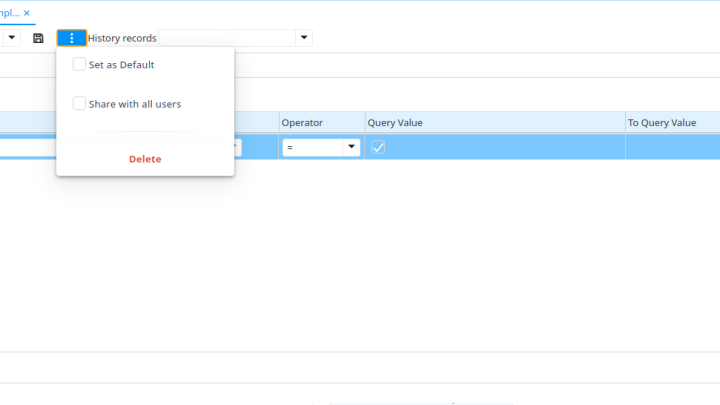
Manage Your Saved Queries with Ease in iDempiere
A new feature has arrived in iDempiere’s Find Window, making it easier than ever to manage your saved queries. The new Advanced Options menu puts quick actions right at your…
A new feature has arrived in iDempiere’s Find Window, making it easier than ever to manage your saved queries. The new Advanced Options menu puts quick actions right at your…
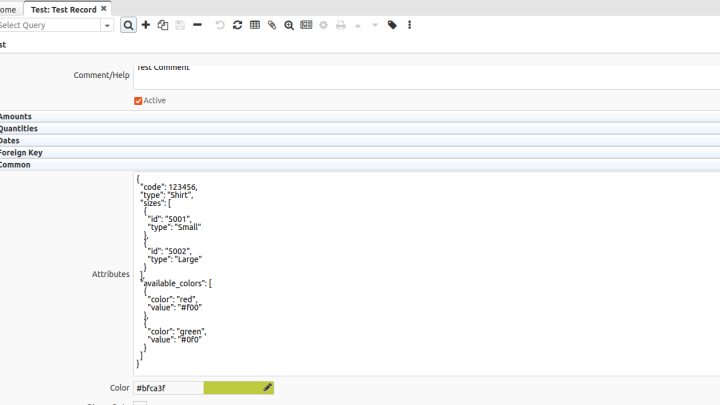
In today’s fast-paced world of business applications, flexibility is key. JSON is a commonly used data format with diverse applications in data interchange, especially for web applications communicating with servers.…
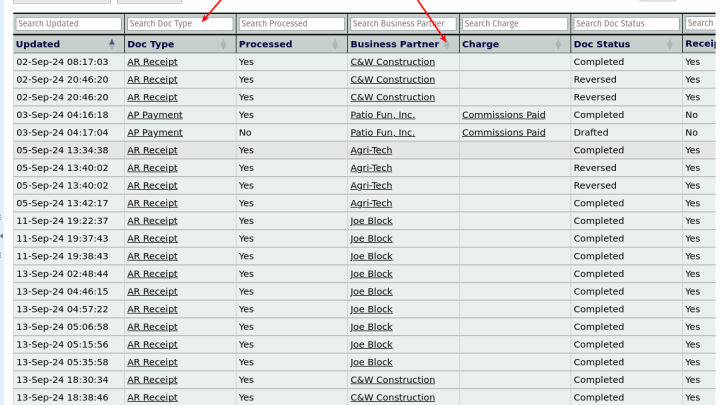
iDempiere’s powerful reporting system allows users to organize, present, and analyze data with ease, and one of the essential features of this system is Data Tables. These tables present detailed,…
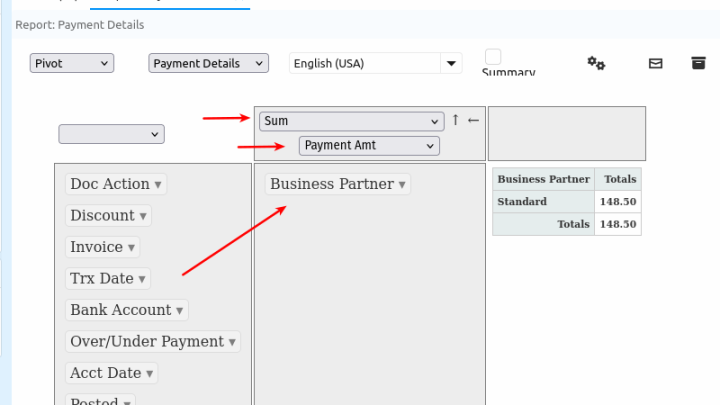
Did you know you can use pivot tables to interact and aggregate your data in iDempiere? Pivot tables are arguably Excel’s most powerful feature, which attracts users. iDempiere has long…

If you’re an iDempiere user, you may often need to run a process on multiple records simultaneously. This can be particularly useful for tasks like batch updating, mass approval, or…
In the ever-evolving landscape of business operations, maintaining data integrity is essential. Ensuring that the information entered into your system adheres to specific formats can prevent errors, streamline processes, and…
In 2019, Chuck Boecking hosted a presentation discussing environment management in iDempiere, where he also mentioned scaling environments in a load balance setting and utilizing DB replicas to run reports…

If you’re an iDempiere developer with many implementations simultaneously, this scenario might sound familiar to you. You are working at the same time on two different projects which use different…
The Quick Info is possibly one of the best features in iDempiere. It can be used in many ways without writing a single line of code. It gives you flexibility,…
